
Guide
How to Track Your Expenses Without Making It a Chore
You know the feeling: the month isn't over yet, but the money somehow is, and you can't point at where it went. It's rarely one big purchase. It's a slow leak, a lot of small spends nobody remembers making.
Tracking your expenses fixes the not-knowing part. No spreadsheets, no iron discipline. Just one small habit: every time money leaves, it gets written down. Here's how to make that habit actually stick.
Log it the moment you pay
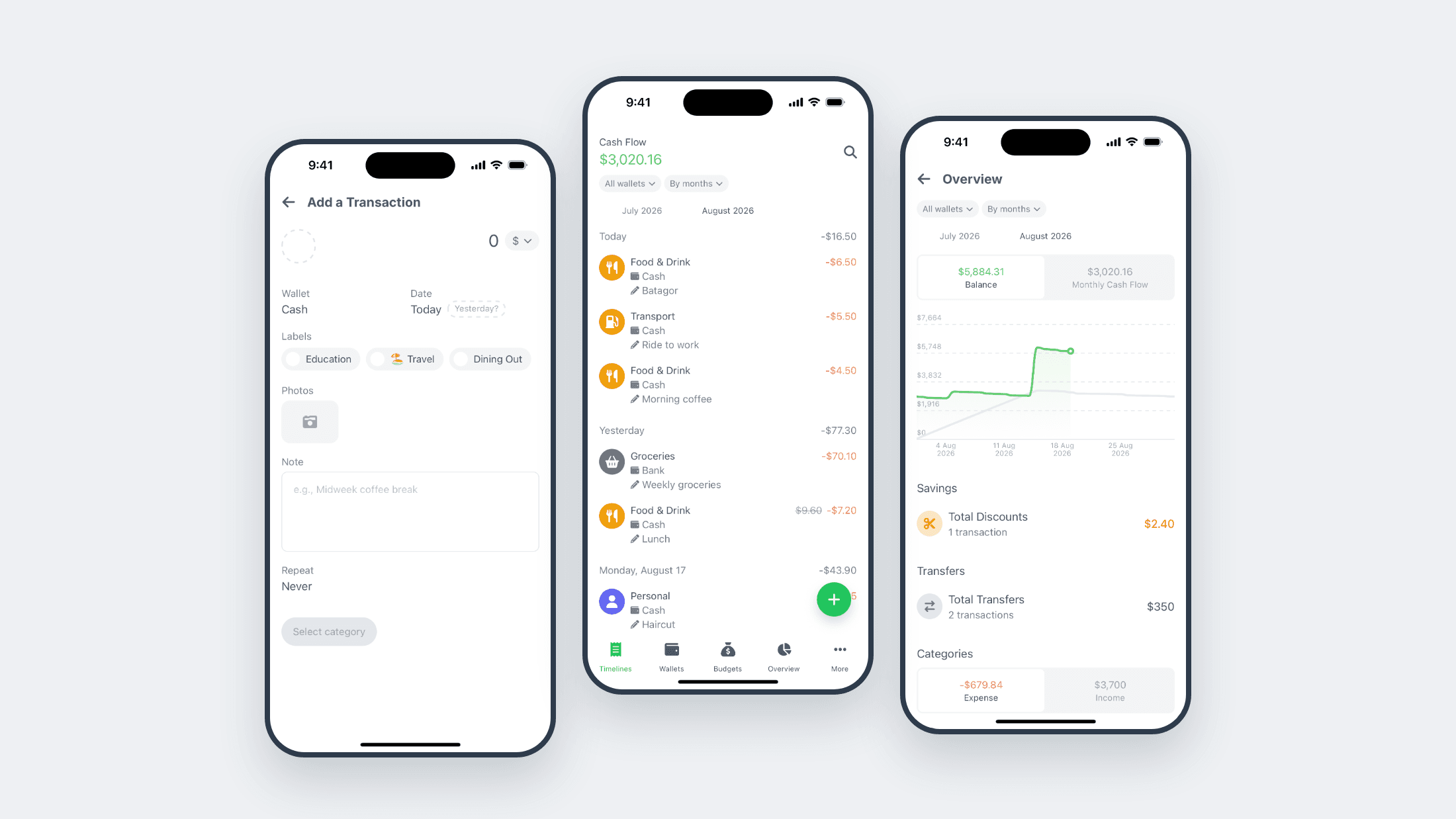
The best time to record an expense is right after paying, while your phone is already in your hand. In Sakuw it takes a few seconds: tap Add transaction, enter the amount, pick a category, save. Done before your change hits your pocket.
Writing each expense down yourself is the point, by the way. It's the same idea behind kakeibo, Japan's famous budgeting method: recording a purchase makes you notice it, and noticing is what changes what you buy next time.
If logging on the spot isn't realistic for you, pick one fixed moment a day instead, like right after dinner. The rule that matters is simple: no day ends with mystery spending in it.
Make categories match your life
Skip the accounting textbook. You want categories that mirror how you actually spend: food, transport, subscriptions, and yes, coffee gets its own category if coffee is a thing for you. Somewhere around eight to twelve is plenty. Too few and everything lands in "Other"; too many and logging becomes a quiz.
Categories are what turn a pile of entries into an answer. At the end of the month, "where did it all go" stops being a mystery and becomes a chart.
Mirror your real wallets
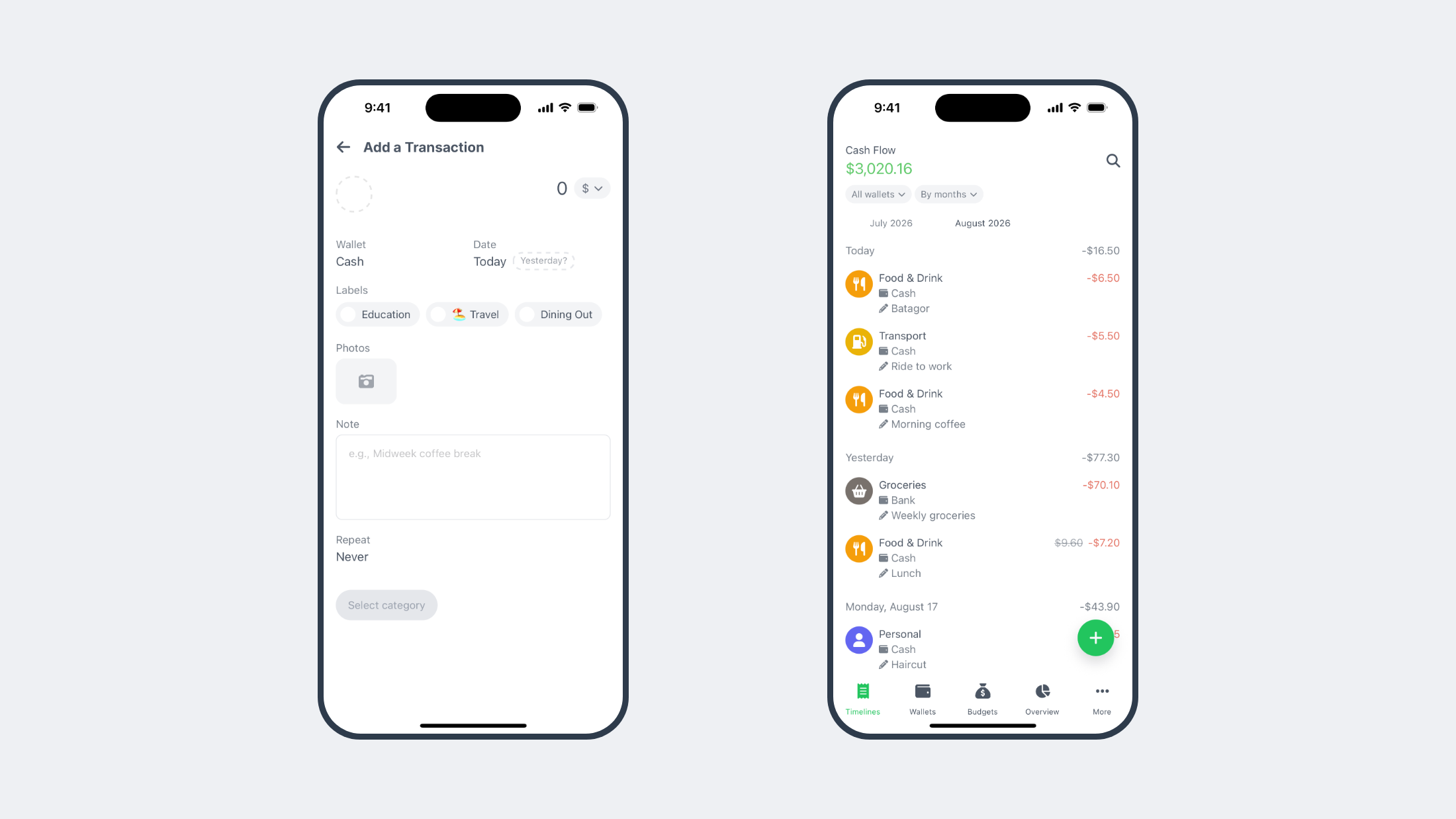
Cash in your pocket, a bank account, an e-wallet or two. Set each one up as its own wallet in Sakuw and log every expense from the wallet the money actually left. When you top up your e-wallet from your bank account, record it as a transfer, not an expense, so nothing gets counted twice.
It's a small thing with a big payoff: every balance in the app matches the real one, so you can trust what you see.
Save the receipt, skip the doubt
For anything you might second-guess later, snap a photo of the receipt right on the transaction and add a one-line note. Two weeks from now, "what was this 80k?" has an answer with a picture attached.
Let the app handle the repeats
So much spending just repeats: rent, subscriptions, the same commute. Don't type those out every time. Long-press any transaction in Sakuw to duplicate it, or set it up as a recurring transaction that posts itself daily, weekly, monthly, or yearly. The Upcoming section shows what's about to post, so the start of the month never surprises you.
The less effort a habit takes, the longer it survives. Automating the boring half of tracking is how you keep doing the useful half.
Review five minutes a week
This is where the payoff lives. Once a week, scroll your timeline, look at your cash flow, and ask one question: anything here I didn't expect? Need to find something specific? Search for it by keyword.
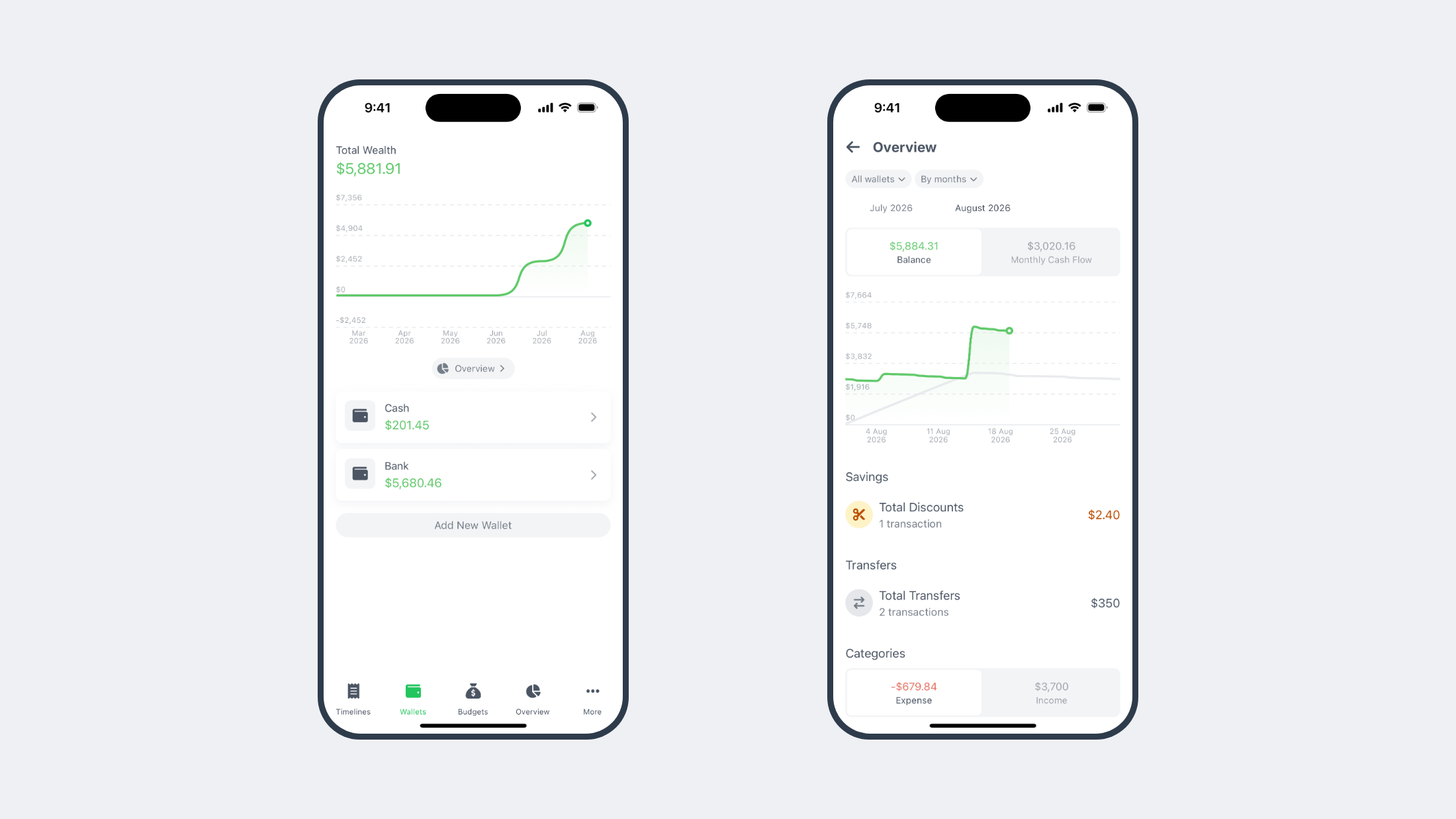
After a full month you'll know your real numbers, not the ones you guessed. And when you're ready for the next step, set a budget for your hungriest categories so you can see a limit coming instead of finding out after.
Start tonight
The whole setup, wallets, categories, first few transactions, is one quiet evening. A month from now you'll know exactly where your money goes, and that knowledge is where every other money win starts. Grab Sakuw on iOS or Android and log your first expense today.